Installation

Installing Toutadmin

Two editions of the same product: one runs as a service on your server, the other drops onto shared hosting. No database required, no third-party service — but a MySQL server is driven if you have one. Allow an hour.

Hosted in Europe, nothing to install: free up to five employees, and the whole product from day one.

The download is open to everyone

The free plan does not stop at SaaS: up to five employees you may just as well install the product on your own machine — your files, your database, your backups — without paying anything. What decides the plan is the headcount, not where the instance runs. Beyond five employees you need a subscription, whether the instance runs with us or with you.

See the plans

Which one to install

The choice depends on your hosting, not on what you need the product to do: both editions do exactly the same things.

Node edition

For a server you administer: one machine, a long-running service, a reverse proxy in front.

Node 22, a C compiler, a local disk. A one-core machine is enough for a few dozen people. A MySQL server is driven if you have one; otherwise SQLite asks for nothing.

PHP edition

For shared hosting: a folder to upload, a file to fill in, a scheduled task. No command line required.

PHP 8.1 and the SQLite extension. No dependency to install: no Composer, no package manager. The PDO MySQL extension as well if you prefer a database server.

The choice stays reversible

Both editions share the same database schema and the same password format. Moving from one to the other means copying one database file and five folders: there is no conversion, and nobody has to change their password.

SQLite or MySQL

And which database

The second choice, and the only one that is hard to reverse. It does not depend on the edition: both accept both engines, and all four combinations pass the same tests.

SQLite

A file on the server's disk. Nothing to install, nothing to administer, nothing to watch — and the instance moves by copying a folder.

It is the default, and the right answer in most cases: one application server, a local disk that survives from one deployment to the next.

MySQL or MariaDB

A database server, on the machine or elsewhere on the network. The data lives where your IT department already backs it up, replicates it and watches it.

Take it for three reasons: several application servers on one database, an internal policy that requires it, or an ephemeral application disk — a container rebuilt at every deployment.

MySQL is not the choice for speed

That is the most widespread belief, and it is false: SQLite lives inside the process, MySQL behind a socket. Measured here over two thousand operations, SQLite is between two and a half and a hundred and fifty times faster depending on the operation — and it holds the comparison even with eight simultaneous writers. MySQL is chosen for where the data lives and who administers it, not for response time.

The detail, figures in hand

In five minutes

The quick install

Enough to open the wizard. The detail follows right after, step by step, with what each command does and why.

Node edition

Three commands on a server you administer. The last one generates an installation token and starts the instance.

git clone <votre-dépôt> toutadmin
cd toutadmin && npm ci --omit=dev
INSTALL_TOKEN=$(openssl rand -hex 16) \
NODE_ENV=production node src/server.js

PHP edition

No command line at all: a folder to drop, a file to copy, a write permission to open.

# 1. déposer le dossier (racine web → public/)
# 2. cp config.sample.php config.php
# 3. chmod 770 data/
# 4. ouvrir https://votre-domaine/install

Then the wizard does the rest

The instance starts empty and closes on itself: until it is installed every address leads to the wizard, and once installed the wizard is gone for good.

  1. 1 LanguageThe instance's own, among the sixteen. It can be changed later, and everyone keeps theirs.
  2. 2 PrerequisitesThe wizard checks what it stands on: version, write permissions, database, folders. What is missing is named, not guessed.
  3. 3 DatabaseSQLite in a file, which asks for nothing, or MySQL / MariaDB if you have one. The wizard tries the connection before committing to it.
  4. 4 OrganisationThe company name and the annual leave quota. Two answers, editable afterwards.
  5. 5 AdministratorThe first account. Twelve characters minimum: it is the only account that can create others.
  6. 6 InstallationThe summary, then the laying down in four stages announced on screen. The wizard closes for good.
https://votre-domaine/install

Set the installation token before opening the port

Between the first start and your own visit to the wizard, whoever arrives first would create the administrator account. INSTALL_TOKEN closes that window: without it the wizard refuses to open.
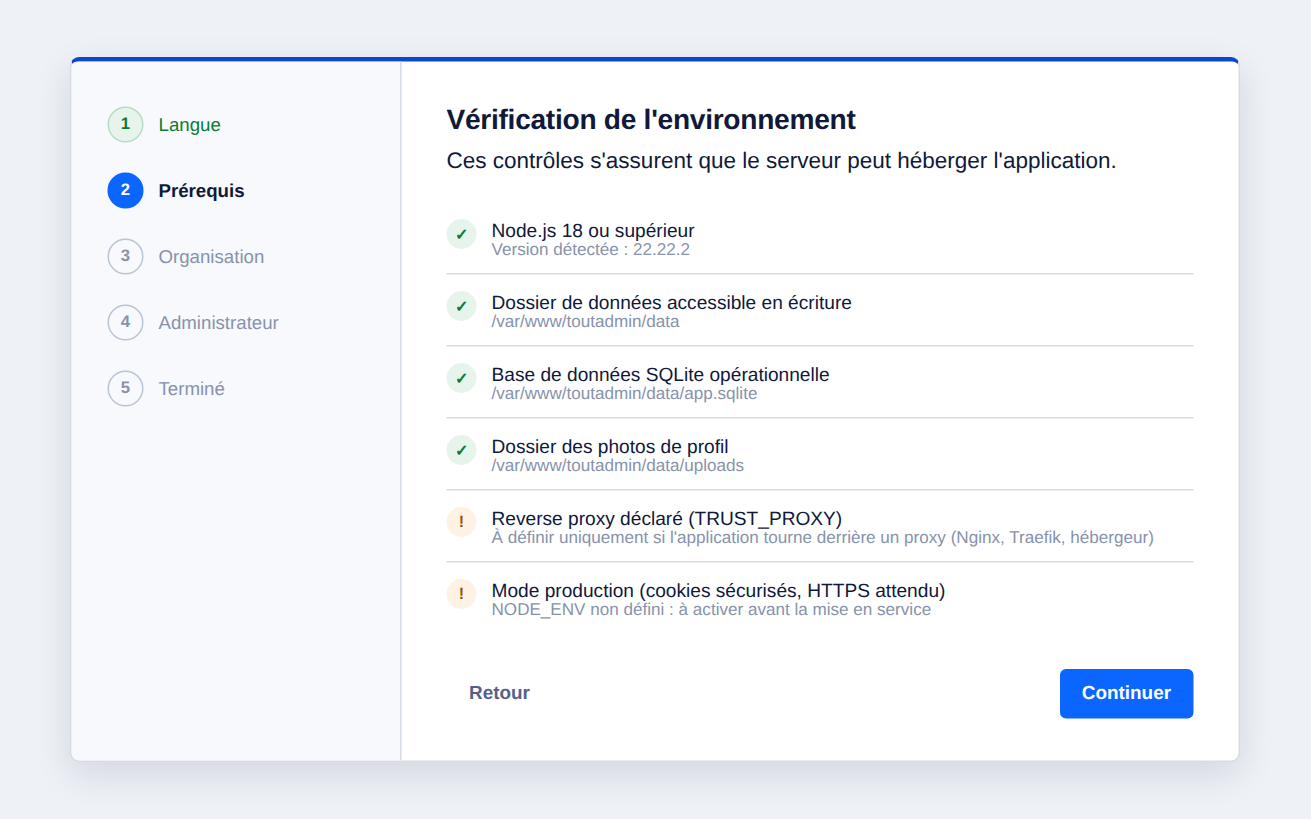
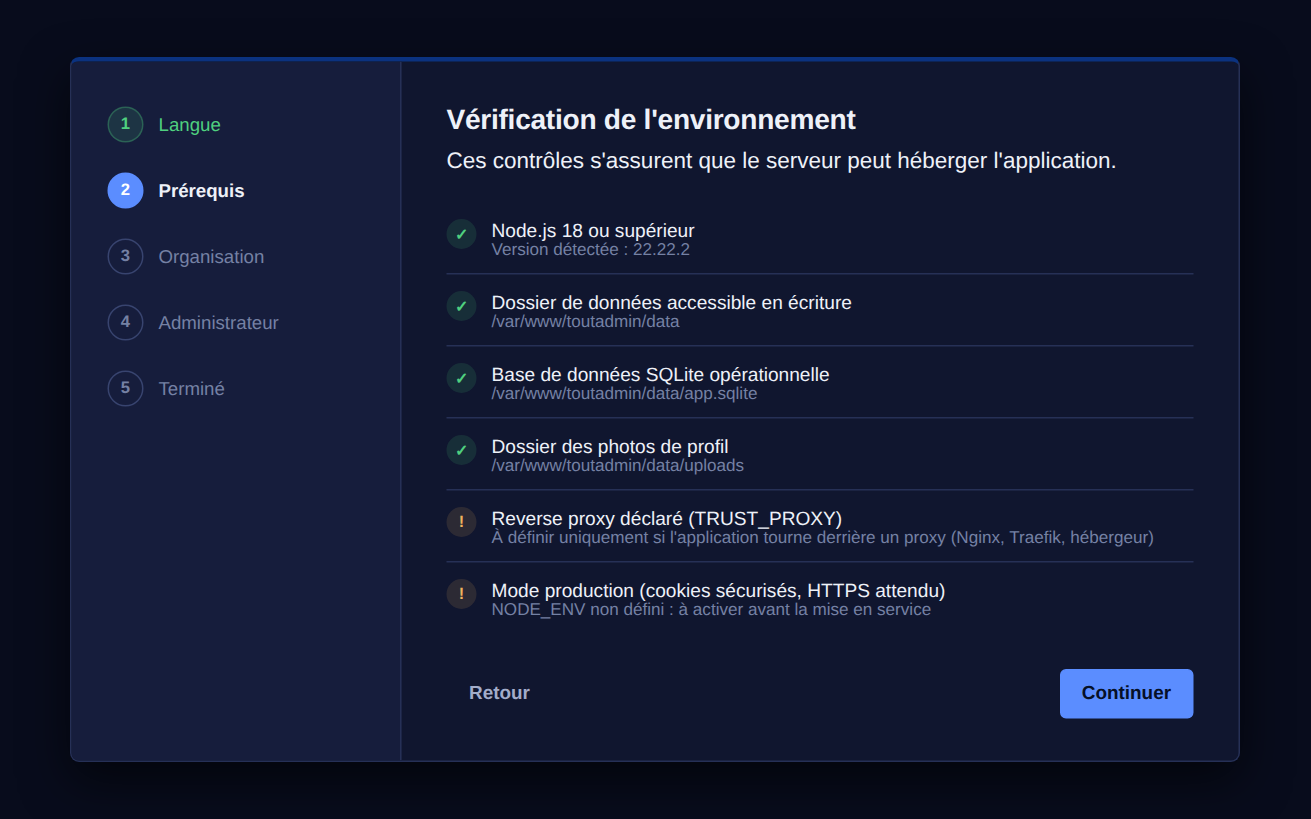
Installation wizard
Installation wizard Installation wizard
Node edition

On your own server, in four steps

  1. Fetch and install

    npm ci rather than npm install: it installs exactly what the lockfile describes. On a server, a version that drifts is an outage nobody can explain.

    git clone <votre-dépôt> /var/www/toutadmin
    cd /var/www/toutadmin
    npm ci --omit=dev
  2. Configure

    Everything is set through environment variables, and none of them is mandatory. Set INSTALL_TOKEN before opening the port: between first boot and your visit to the wizard, whoever arrives first would create the administrator account.

    cp .env.example .env
    # PORT, NODE_ENV=production, INSTALL_TOKEN…
  3. Hand it to the system

    Started by hand, the product stops when you close the terminal. The service restarts on its own, and is allowed to write only inside its data folder.

    sudo systemctl enable --now toutadmin
    journalctl -u toutadmin -f
  4. Encrypt the connection

    Never serve the application port straight onto the internet. Behind the proxy, the instance sets its own security headers — including HSTS, and only over a connection that is already encrypted.

    sudo certbot --nginx -d intranet.exemple.fr
PHP edition

On shared hosting, in four steps

  1. Upload the files

    This is the step people get wrong. If the server serves the whole folder, the database becomes downloadable by anyone: accounts, password hashes and the vault included.

    # déposer le dossier ; la racine web pointe sur public/, pas sur le dossier
  2. Write the configuration

    The wizard writes the configuration, and writes it last: until the file exists, an interrupted install has left nothing behind. It puts an instance-specific key in it, which seals the signing book and encrypts the secrets in the database — back it up with the rest.

    cp config.sample.php config.php
    php -r "echo bin2hex(random_bytes(32));"   # session_secret
  3. Open write access

    SQLite writes sibling files next to the database: it is the folder that must be writable, not just the file. The rest of the product can stay read-only.

    chmod 770 data/     # le dossier, pas seulement la base
  4. Schedule the sweep

    A PHP site only lives during a request. The scheduled task closes expired contracts, issues recurring invoices, sends webhooks and creates backups.

    * * * * * /usr/bin/php /var/www/toutadmin/tools/cron.php

Before opening it to colleagues

A backup that leaves the building

Make one right away, while the database is still small, and configure the off-site destination. An archive that stays on the server it protects protects nothing.

A test account with no rights

Log in with it and wander around. It is the only way to see the product as your colleagues will — and the check most often skipped.

Two administrators, not one

If you turn on two-factor authentication and lose both the phone and the recovery codes, only another administrator can let you back in. There is no back door.

The complete tutorial is in the documentation

This page gives the outline. The documentation gives everything else: front-end server configuration, exact permissions, certificates, restore, upgrades, troubleshooting by symptom — and both tutorials in full, one per edition.

Start free, change plan when you grow

The first five employees are free, always. Above that, €5 per employee per month. No credit card to try.